

Autosend
Send transactional and automated emails via Autosend on Vivgrid
Overview
Enable your AI agent to generate and send professional emails to customers using AutoSend. This integration allows you to automate transactional emails, notifications, and customer communications with AI-generated content.
Use Cases
Dynamic HTML Email Generation
Generate and send custom HTML emails with dynamic content. In this example, we'll send a credit balance notification with a payment link.
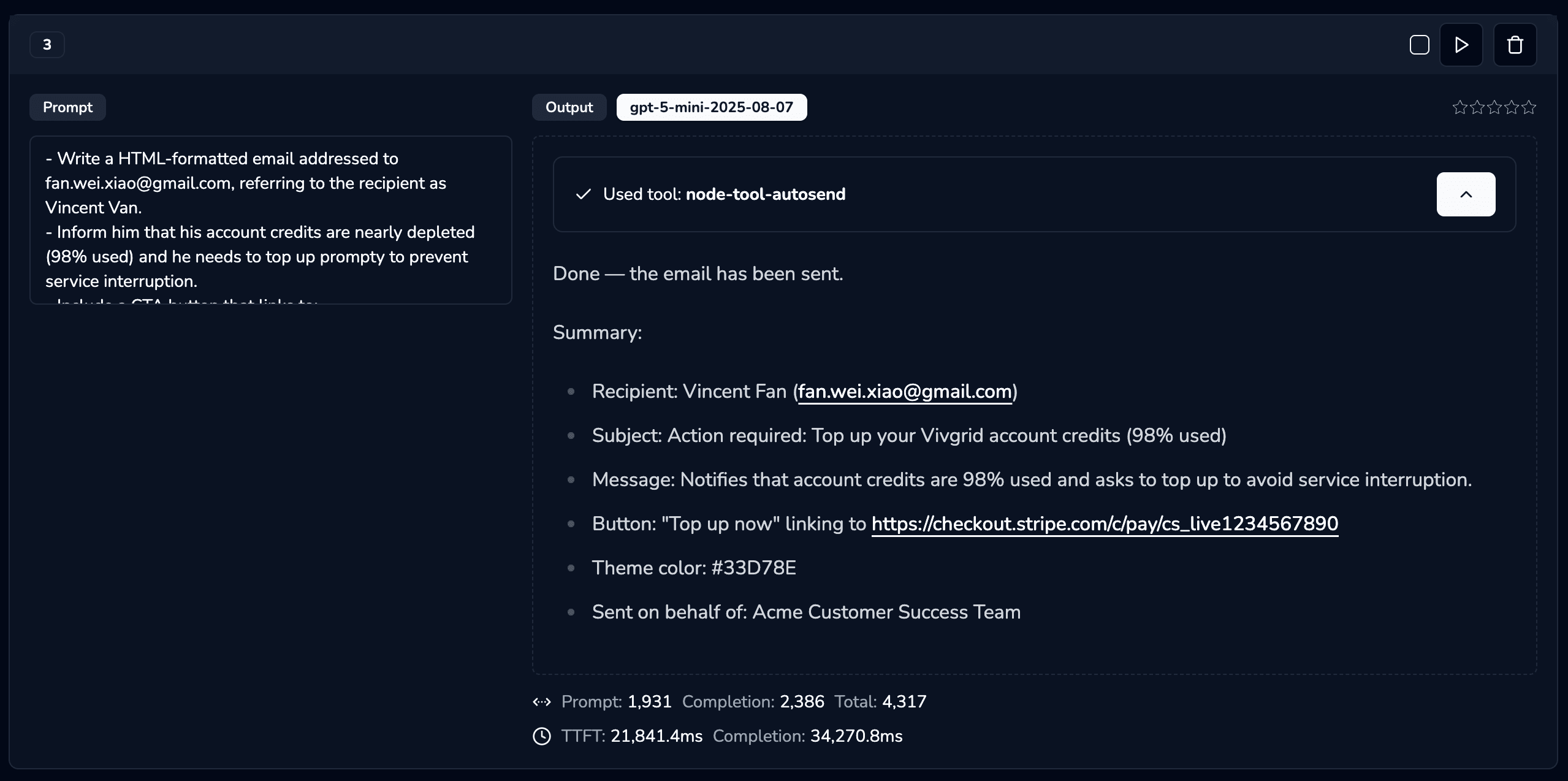
- Write a HTML-formatted email addressed to fan.wei.xiao@gmail.com, referring to the recipient as Vincent Van.
- Inform him that his account credits are nearly depleted (98% used) and he needs to top up promptly to prevent service interruption.
- Include a CTA button that links to: https://checkout.stripe.com/c/pay/cs_livexxxxxx
- The primary theme color should be #33D78E
- The email should be written on behalf of the Acme Customer Success Team
Testing with Alchemist Tool:
You can test this integration using the Alchemist Tool:
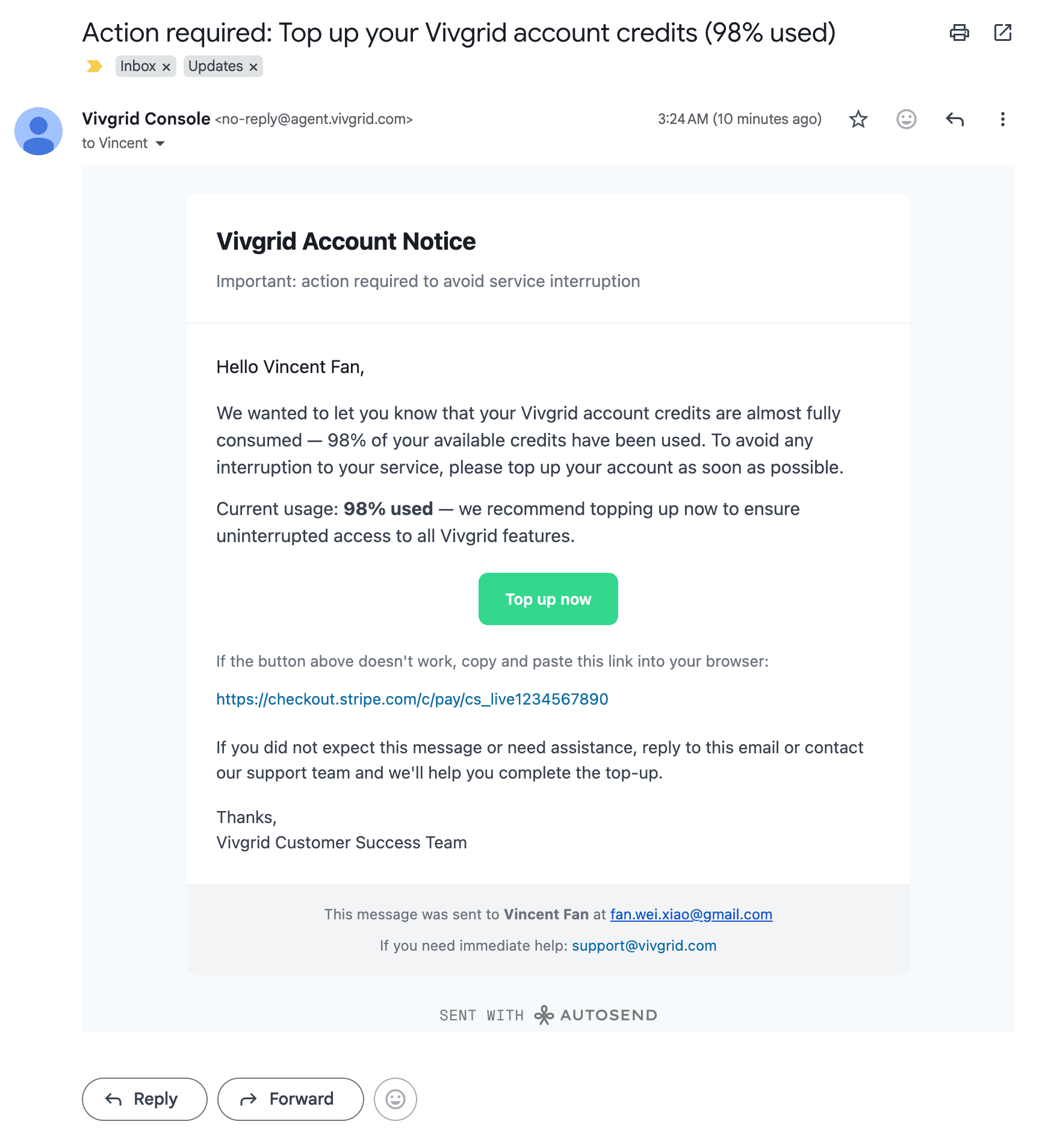
Result:
Template-Based Email Sending
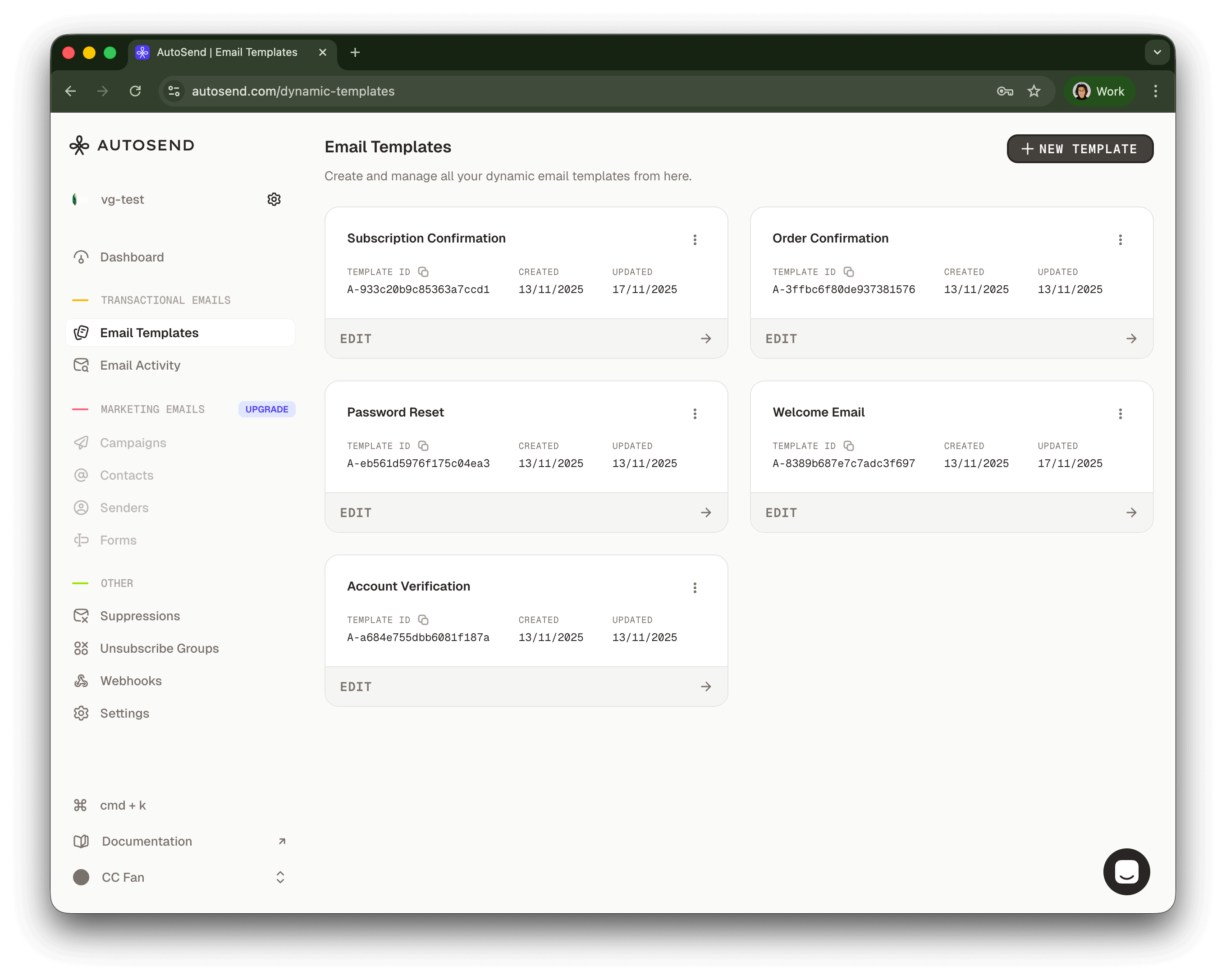
Send emails using pre-configured templates for consistent branding and messaging.
Using the OpenAI SDK:
- Send an email to Vincent Fan at fanweixiao+test@gmail.com.
- Use the email template with template ID: A-8389b687e7c7adc3f697.
- The email should be sent on behalf of the Vivgrid Customer Success Team.
- Use #33D78E as the primary theme color.
import OpenAI from 'openai'
const client = new OpenAI({
apiKey: 'viv-xxxxxxxxxx',
baseURL: 'https://api.vivgrid.com/v1',
})
const chatCompletion = await client.chat.completions.create({
messages: [{ role: 'user', content: INSTRUCTION }],
stream: true,
})
for await (const chunk of chatCompletion) {
const content = chunk.choices[0]?.delta?.content
if (content) {
console.log(content)
}
}Example Code
A complete example implementation is available on GitHub:
https://github.com/yomorun/llm-function-calling-examples/tree/main/node-tool-autosend
Deploy yours
The following environment variables are required to configure the Autosend integration:
| Variable | Description |
|---|---|
AUTOSEND_API_KEY | Your AutoSend API key |
AUTOSEND_FROM_EMAIL | The sender email address (domain must be configured in AutoSend dashboard) |
AUTOSEND_FROM_NAME | Display name for the sender |
AUTOSEND_REPLY_TO_EMAIL | Email address for replies |
AUTOSEND_REPLY_TO_NAME | Display name for reply address |
Prepare your vivgrid.yml file before deploying your application, the secret can be found in your Vivgrid Console:
tool=send_email
secret=viv-xxxxxxxxxx
Then deploy your application with your configuration to Vivgrid:
viv deploy . --env AUTOSEND_API_KEY=AS_xxxxxxxxxxxxxxx \
--env AUTOSEND_FROM_EMAIL=no-reply@acme.com \
--env AUTOSEND_FROM_NAME="Acme Console" \
--env AUTOSEND_REPLY_TO_EMAIL=hi@acme.com \
--env AUTOSEND_REPLY_TO_NAME="Acme Support"