# Elia x Vivgrid
> Source: https://vivgrid.com/docs/tutorials/elia
How to integrate Vivgrid to Elia
## Elia
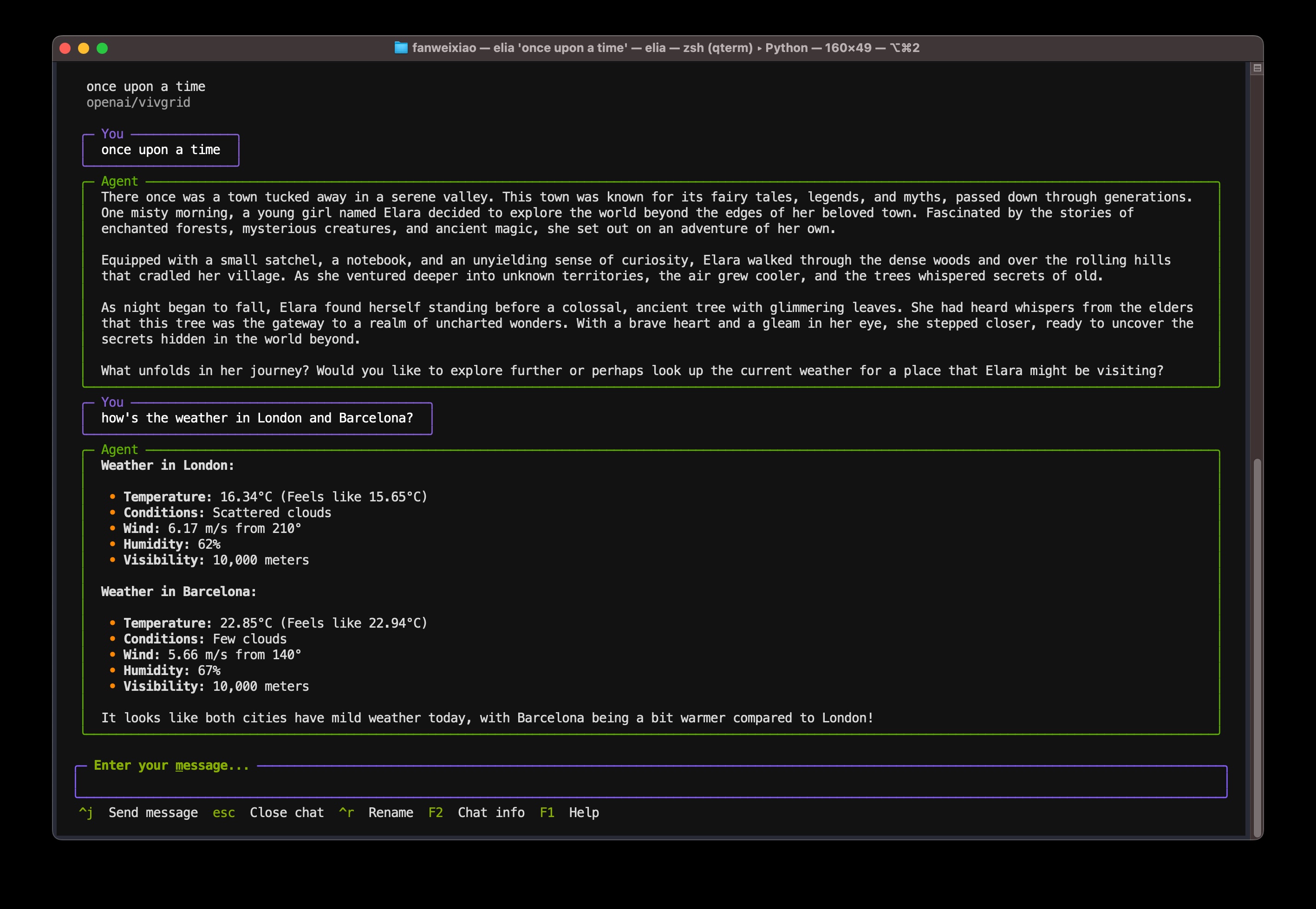
[Elia](https://github.com/darrenburns/elia) is an open source TUI for interacting with LLMs, it's designed to be keyboard-focused and efficient to use.
## Install Elia
Elia can be installed by [pipx](https://github.com/pypa/pipx), if you don't have pipx, follow these steps:
```sh tab="Mac"
brew install pipx
```
```sh tab="Fedora"
sudo dnf install pipx
```
```sh tab="Ubuntu"
sudo apt update && sudo apt install pipx
```
```sh tab="Windows"
scoop install pipx
```
After this, remember run:
```sh
pipx ensurepath
```
Then, install Elia:
```sh
pipx install elia-chat
```
## Configure Elia for Vivgrid
edit elia configuration file:
```sh
vim ~/.config/elia/config.toml
```
with content:
```toml
default_model="vivgrid"
[[models]]
id = "vivgrid"
name = "openai/vivgrid"
api_base = "https://api.vivgrid.com/v1/"
api_key = ""
```
## Try it!
```sh
elia "how's the weather in London?"
```