# Vivgrid Skills Marketplace - Autosend
> Source: https://vivgrid.com/blog/marketplace-autosend
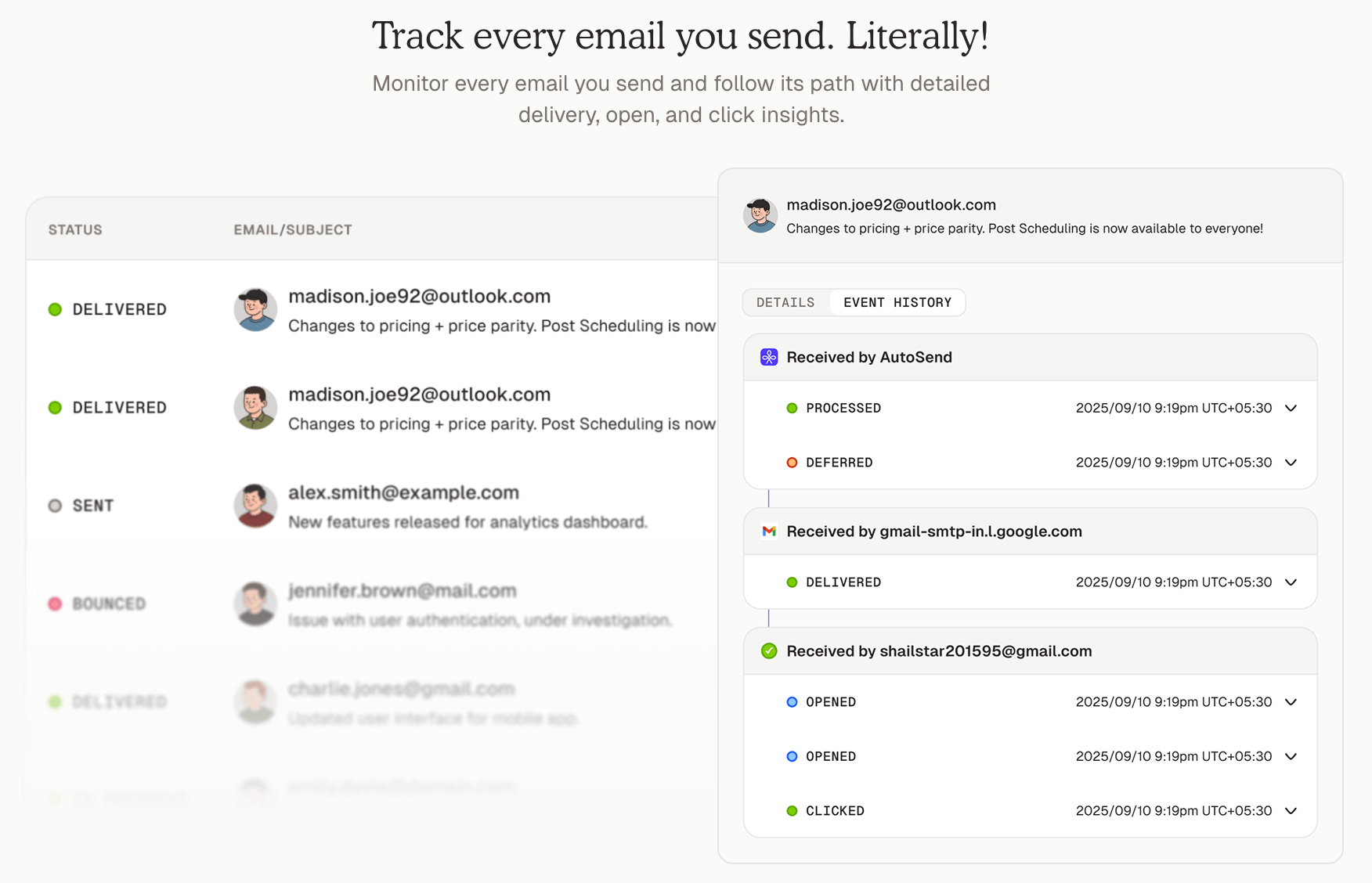
Automate customer emails from your AI agents with Autosend MCP on Vivgrid. Send transactional emails, notifications, and more — no code needed.
## Overview
Enable your AI agent to generate and send professional emails to customers using [AutoSend](https://autosend.com). This integration allows you to automate transactional emails, notifications, and customer communications with AI-generated content.
## Use Cases
### Dynamic HTML Email Generation
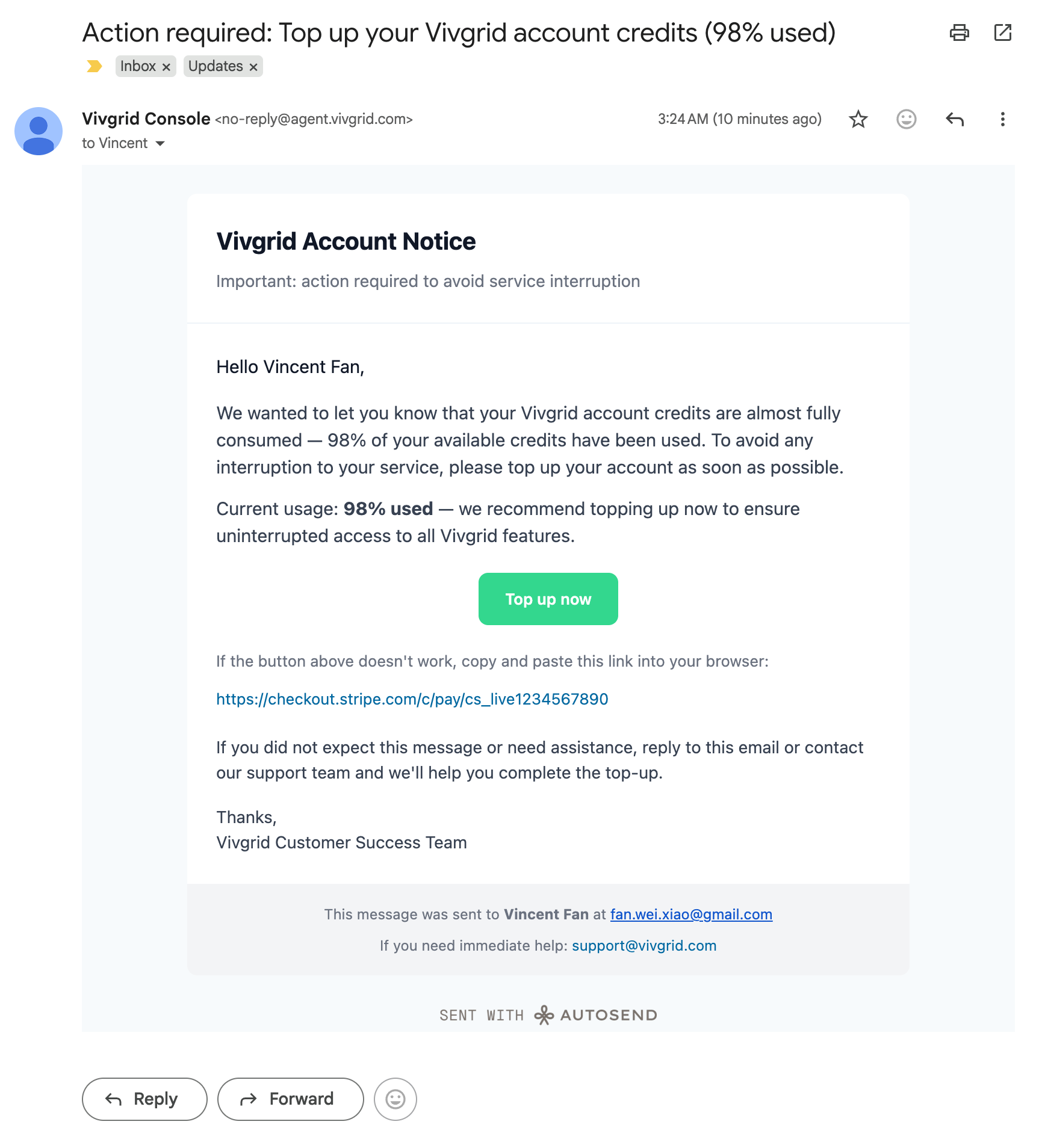
Generate and send custom HTML emails with dynamic content. In this example, we'll send a credit balance notification with a payment link.
 ```markdown Send html format email wrap
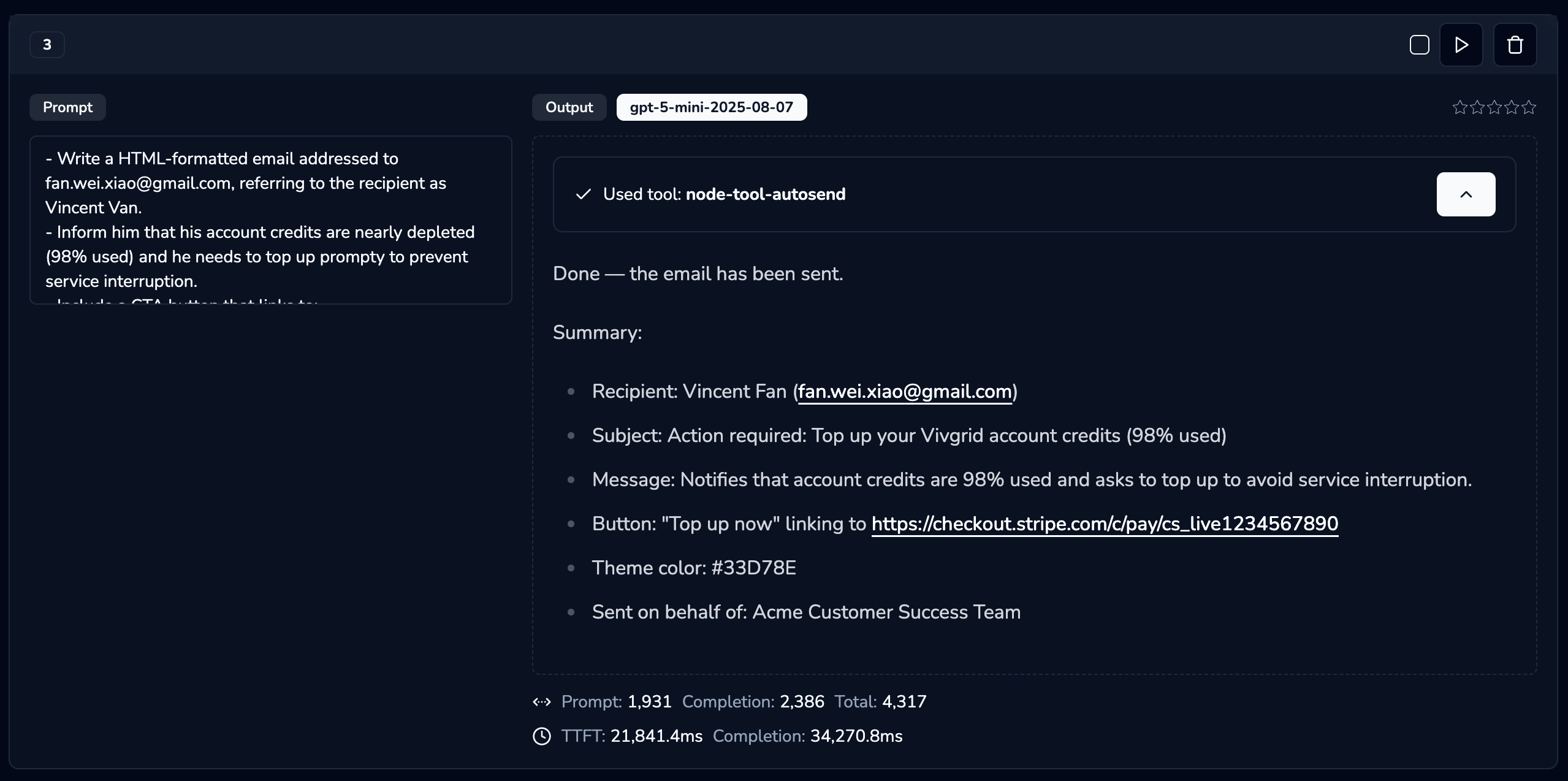
- Write a HTML-formatted email addressed to fan.wei.xiao@gmail.com, referring to the recipient as Vincent Van.
- Inform him that his account credits are nearly depleted (98% used) and he needs to top up promptly to prevent service interruption.
- Include a CTA button that links to: https://checkout.stripe.com/c/pay/cs_livexxxxxx
- The primary theme color should be #33D78E
- The email should be written on behalf of the Acme Customer Success Team
```
**Testing with Alchemist Tool:**
You can test this integration using the [Alchemist Tool](https://alchemist.vivgrid.com):
```markdown Send html format email wrap
- Write a HTML-formatted email addressed to fan.wei.xiao@gmail.com, referring to the recipient as Vincent Van.
- Inform him that his account credits are nearly depleted (98% used) and he needs to top up promptly to prevent service interruption.
- Include a CTA button that links to: https://checkout.stripe.com/c/pay/cs_livexxxxxx
- The primary theme color should be #33D78E
- The email should be written on behalf of the Acme Customer Success Team
```
**Testing with Alchemist Tool:**
You can test this integration using the [Alchemist Tool](https://alchemist.vivgrid.com):
 **Result:**
 ### Template-Based Email Sending
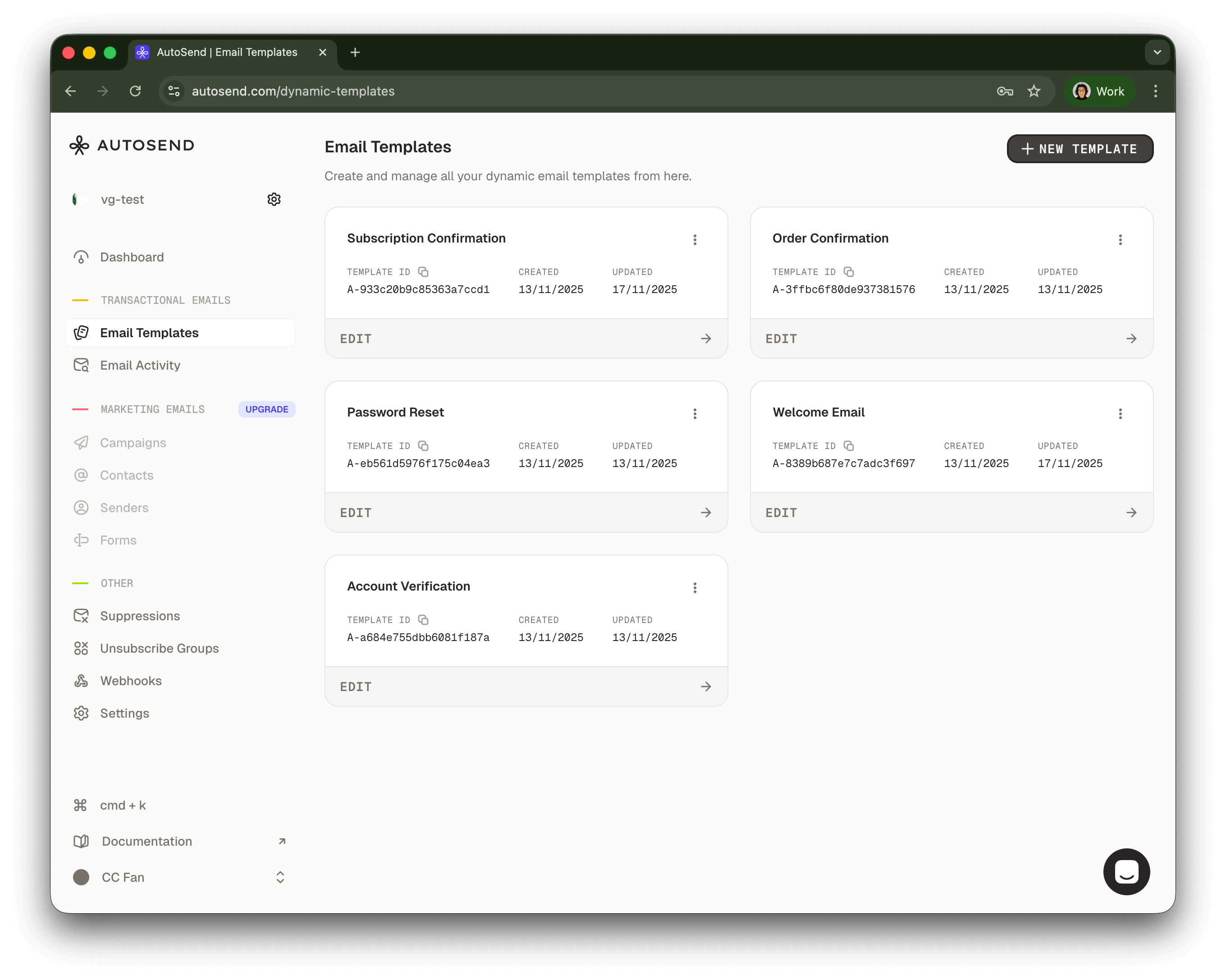
Send emails using pre-configured templates for consistent branding and messaging.
### Template-Based Email Sending
Send emails using pre-configured templates for consistent branding and messaging.
 Using the OpenAI SDK:
```markdown INSTRUCTION wrap
- Send an email to Vincent Fan at fanweixiao+test@gmail.com.
- Use the email template with template ID: A-8389b687e7c7adc3f697.
- The email should be sent on behalf of the Vivgrid Customer Success Team.
- Use #33D78E as the primary theme color.
```
```javascript Send template email icon="square-js" lines
import OpenAI from 'openai'
const client = new OpenAI({
apiKey: 'viv-xxxxxxxxxx',
baseURL: 'https://api.vivgrid.com/v1',
})
const chatCompletion = await client.chat.completions.create({
messages: [{ role: 'user', content: INSTRUCTION }],
stream: true,
})
for await (const chunk of chatCompletion) {
const content = chunk.choices[0]?.delta?.content
if (content) {
console.log(content)
}
}
```
## Example Code
A complete example implementation is available on GitHub:
[https://github.com/yomorun/llm-function-calling-examples/tree/main/node-tool-autosend](https://github.com/yomorun/llm-function-calling-examples/tree/main/node-tool-autosend)
## Deploy yours
The following environment variables are required to configure the Autosend integration:
- `AUTOSEND_API_KEY`: Your AutoSend API key
- `AUTOSEND_FROM_EMAIL`: The sender email address (domain must be configured in AutoSend dashboard)
- `AUTOSEND_FROM_NAME`: Display name for the sender
- `AUTOSEND_REPLY_TO_EMAIL`: Email address for replies
- `AUTOSEND_REPLY_TO_NAME`: Display name for reply address
Prepare your `vivgrid.yml` file before deploying your application, the secret can be found in your [Vivgrid Console](https://console.vivgrid.com/):
```yaml vivgrid.yml
tool: send_email
secret: viv-xxxxxxxxxx
```
Then deploy your application with your configuration to [Vivgrid](https://vivgrid.com):
```sh
viv deploy . --env AUTOSEND_API_KEY=AS_xxxxxxxxxxxxxxx \
--env AUTOSEND_FROM_EMAIL=no-reply@acme.com \
--env AUTOSEND_FROM_NAME="Acme Console" \
--env AUTOSEND_REPLY_TO_EMAIL=hi@acme.com \
--env AUTOSEND_REPLY_TO_NAME="Acme Support"
```
Your AutoSend MCP server will be available at `https://api.vivgrid.com/mcp/v1//sse`
Using the OpenAI SDK:
```markdown INSTRUCTION wrap
- Send an email to Vincent Fan at fanweixiao+test@gmail.com.
- Use the email template with template ID: A-8389b687e7c7adc3f697.
- The email should be sent on behalf of the Vivgrid Customer Success Team.
- Use #33D78E as the primary theme color.
```
```javascript Send template email icon="square-js" lines
import OpenAI from 'openai'
const client = new OpenAI({
apiKey: 'viv-xxxxxxxxxx',
baseURL: 'https://api.vivgrid.com/v1',
})
const chatCompletion = await client.chat.completions.create({
messages: [{ role: 'user', content: INSTRUCTION }],
stream: true,
})
for await (const chunk of chatCompletion) {
const content = chunk.choices[0]?.delta?.content
if (content) {
console.log(content)
}
}
```
## Example Code
A complete example implementation is available on GitHub:
[https://github.com/yomorun/llm-function-calling-examples/tree/main/node-tool-autosend](https://github.com/yomorun/llm-function-calling-examples/tree/main/node-tool-autosend)
## Deploy yours
The following environment variables are required to configure the Autosend integration:
- `AUTOSEND_API_KEY`: Your AutoSend API key
- `AUTOSEND_FROM_EMAIL`: The sender email address (domain must be configured in AutoSend dashboard)
- `AUTOSEND_FROM_NAME`: Display name for the sender
- `AUTOSEND_REPLY_TO_EMAIL`: Email address for replies
- `AUTOSEND_REPLY_TO_NAME`: Display name for reply address
Prepare your `vivgrid.yml` file before deploying your application, the secret can be found in your [Vivgrid Console](https://console.vivgrid.com/):
```yaml vivgrid.yml
tool: send_email
secret: viv-xxxxxxxxxx
```
Then deploy your application with your configuration to [Vivgrid](https://vivgrid.com):
```sh
viv deploy . --env AUTOSEND_API_KEY=AS_xxxxxxxxxxxxxxx \
--env AUTOSEND_FROM_EMAIL=no-reply@acme.com \
--env AUTOSEND_FROM_NAME="Acme Console" \
--env AUTOSEND_REPLY_TO_EMAIL=hi@acme.com \
--env AUTOSEND_REPLY_TO_NAME="Acme Support"
```
Your AutoSend MCP server will be available at `https://api.vivgrid.com/mcp/v1//sse`